Overwhelmed by repetitive tasks, endless emails, or juggling data across dozens of systems? You’re not alone. Research shows the average employee spends nearly 2 hours daily on manual work, which is over 9 workweeks lost per year.
Here’s the exciting part: AI services (also known as AI as a Service or AIaaS) can transform that. These cloud-based solutions deliver powerful AI capabilities on demand, without needing massive in-house infrastructure or AI experts.
Companies adopting AI for workflow automation report up to 40% faster project completion and 20–30% cost savings in the first year. The global AIaaS market is projected to reach around $28–29 billion in 2026, growing at 30–35% annually, driven by businesses seeking scalable intelligence.
From automating routine tasks to predicting customer needs and even acting autonomously, AI services handle the heavy lifting so your team focuses on strategy, creativity, and growth. Businesses adopting them today gain a real competitive edge.
Curious how it works? Let’s dive in.
What are AI Services?
AI services, commonly referred to as AI as a Service (AIaaS), are cloud-delivered platforms, APIs, pre-built models, and managed tools. They provide artificial intelligence capabilities on a subscription or pay-per-use model, similar to how you use Netflix or Google Workspace.
Instead of building AI from scratch (which requires costly servers, GPUs, data scientists, and months of development), you access ready-to-use or customizable AI through the cloud. Providers handle hosting, scaling, security updates, and maintenance; you simply integrate via simple APIs or dashboards.
Key advantages in 2026:
- Low barriers for SMEs: Start small with minimal upfront costs (often pay only for what you use).
- Scalability: Handle 10 users or 10,000 without infrastructure worries.
- Speed: Deploy in days/weeks vs. years for custom builds.
- Democratization: Even small businesses in regions like Pakistan can leverage the same tech as global giants.
Core Functions of AI Services
AI services assist businesses in being smarter by performing operations that would otherwise consume excessive time or effort. The following are the primary ways through which they make a difference:
1. Task Automation
These tools can handle repetitive work like updating records, sending reminders, or sorting emails. For example, businesses that use automated task systems report completing work up to 40 percent faster, giving employees more time for strategic projects.
2. Data Analysis and Insights
Companies collect huge amounts of data every day, from sales numbers to customer behavior. AI services can quickly find patterns, trends, and opportunities that humans might miss. Marketing teams, for instance, can identify which campaigns drive the most sales in minutes instead of days.
3. Customer Support Automation
Many customer questions are routine and repetitive. These systems can answer common queries instantly, track issues, and guide users to solutions. Some companies have improved support efficiency by 30 percent while keeping response times under a minute.
4. Predictive Analytics
AI services can forecast outcomes based on past data. Stores can predict which products will sell, supply chains can plan inventory more accurately, and finance teams can identify potential risks before they happen. This helps businesses plan ahead and avoid costly mistakes.
5. Personalization Capabilities
Every customer is different. AI services help businesses deliver personalized experiences, like recommending products based on previous purchases or tailoring marketing messages to each user. Personalization improves customer engagement and can increase sales by 15 to 20 percent.
Types of AI Services Businesses Use
AI services come in many forms, each designed to help businesses work smarter and solve specific problems. Here are the most common types:
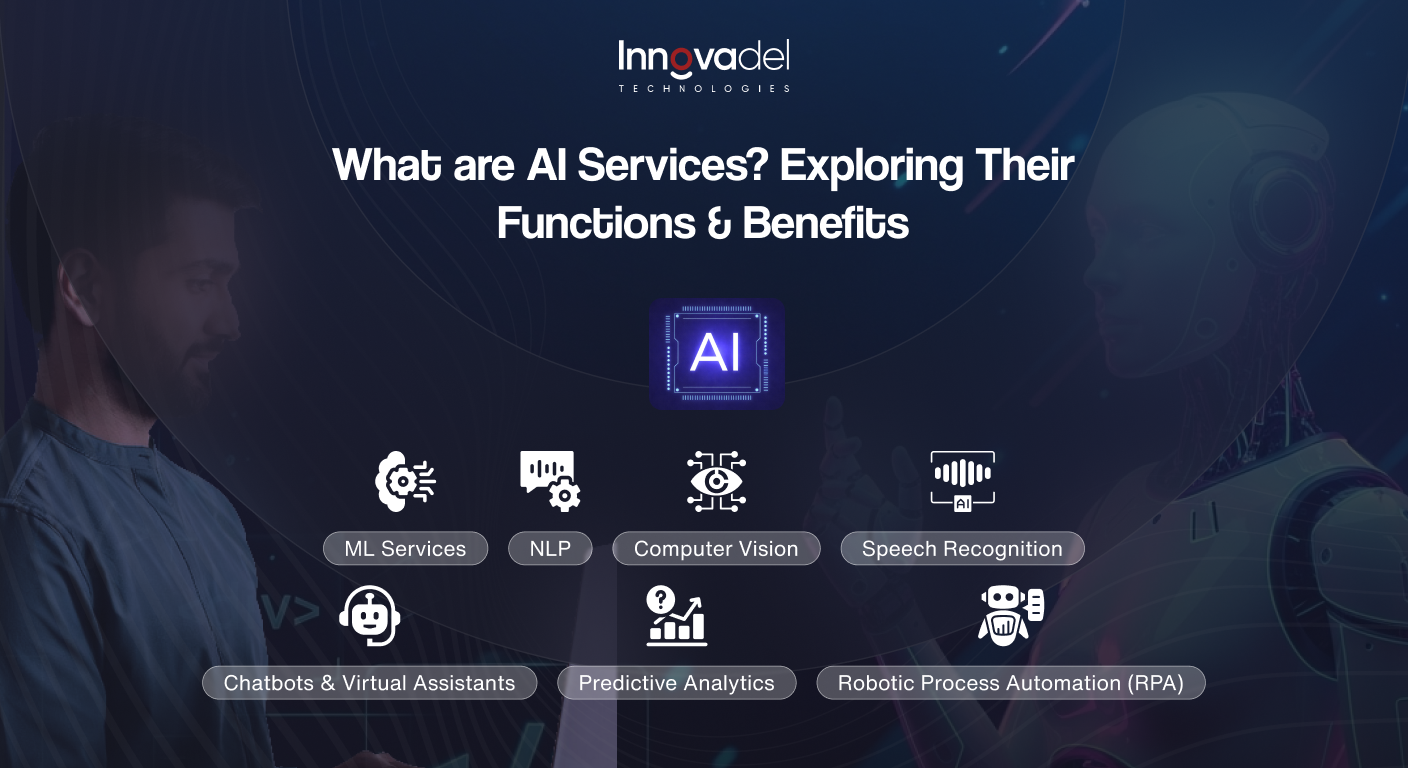
1. Machine Learning Services
These tools help computers learn from past data and make predictions or decisions on their own. Businesses use them for things like predicting sales, detecting fraud, or recommending products to customers.
2. Natural Language Processing (NLP)
NLP allows machines to understand and respond to human language. It powers chatbots, voice assistants, language translation tools, and even systems that analyze customer feedback.
3. Computer Vision
This type lets computers “see” and understand images or videos. It’s used in facial recognition, detecting objects, checking product quality in factories, and analyzing medical scans.
4. Speech Recognition
These tools turn spoken words into text or actions. They are used in digital assistants like Siri, Alexa, or Google Assistant, and in call centers to transcribe conversations.
5. Chatbots and Virtual Assistants
These tools provide instant, automated help to users. They can answer questions, guide people through tasks, and improve customer support on websites and apps.
6. Predictive Analytics
This service looks at past data to forecast future trends. Businesses use it to plan sales, marketing campaigns, healthcare decisions, or supply chain needs.
7. Robotic Process Automation (RPA)
RPA automates repetitive digital tasks, like entering data or processing invoices. It helps teams work faster and reduces errors.
8. Recommendation Engines
These systems suggest products, services, or content based on user behavior. You see them on e-commerce sites, streaming platforms, and online learning apps.
9. AI for Cybersecurity
AI can spot unusual activity and prevent security threats. It protects systems and data by detecting risks and responding quickly.
10. AI Readiness and Automation Assessment
This service checks how ready a business is to use AI. It looks at systems, data quality, staff skills, and management plans to create a clear roadmap for adopting AI successfully.
Generative AI: The Game-Changer for Business in 2026
One of the biggest shifts in the AI landscape is the rise of Generative AI, systems that don’t just analyze data, but create new content, ideas, code, and solutions from scratch.
Unlike traditional AI that only analyzes or classifies, Generative AI can write emails, draft reports, generate marketing copy, create product descriptions, build code, and even design visuals, all on demand. For businesses, this unlocks a completely new level of productivity.
What Can Generative AI Do for Your Business?
- Content Creation: Generate blogs, social media posts, product descriptions, and ad copy in seconds.
- Code Generation: Help developers write, review, and debug code faster, cutting development time significantly.
- Customer Communication: Draft personalized email responses, chat replies, and proposals at scale.
- Internal Knowledge Management: Summarize long documents, meeting notes, and reports instantly.
- Training & Onboarding: Create training materials, SOPs, and quizzes automatically.
90% of companies report more efficient workflows after adopting generative AI tools. Developers using AI coding assistants complete tasks significantly faster, freeing up time for complex problem-solving and innovation.
Real Business Example
A mid-size e-commerce brand used generative AI to write product descriptions for 10,000 items, a task that previously took a team of copywriters 3 months. With AI, it was done in 4 days, with consistent quality and SEO optimization built in.
Agentic AI: The Next Frontier of Business Automation
If Generative AI creates content, Agentic AI takes action. This is the newest and most powerful evolution of AI services, and it’s already delivering measurable results for early adopters.
Agentic AI refers to AI systems that can autonomously plan, make decisions, and carry out multi-step tasks without constant human input. Rather than waiting to be prompted for each step, agentic AI ‘thinks ahead,’ breaks goals into subtasks, uses tools, browses the web, writes code, and executes actions end-to-end.
How Agentic AI is Different from Traditional AI
| Challenge | Explanation |
| Traditional AI | Answers questions, classifies data, and generates text, one task at a time. |
| Agentic AI | Sets goals, plans steps, uses tools, takes actions, and completes entire workflows autonomously. |
| Example | Traditional AI answers ‘What’s our best-selling product?’ Agentic AI answers that AND automatically adjusts inventory orders, notifies suppliers, and updates the sales dashboard. |
Business Use Cases for Agentic AI
- Sales Automation: Agents that research leads, draft personalized outreach, schedule follow-ups, and update your CRM automatically.
- Finance Operations: Agents that pull data from multiple systems, reconcile accounts, flag anomalies, and generate reports without manual input.
- IT Support: AI agents that diagnose issues, apply fixes, escalate tickets, and follow up with users, reducing IT workload dramatically.
- Supply Chain Management: Agents that monitor inventory levels, communicate with suppliers, and reorder stock based on real-time demand signals.
- Marketing Campaigns: Agents that research trends, write ad copy, A/B test creatives, analyze performance, and optimize budgets, all in one flow.
74% of executives report seeing ROI within the first year of deploying AI agents. Businesses that adopt agentic AI now are building a significant operational advantage over competitors who are still doing these workflows manually.
Multimodal AI: When AI Sees, Hears, and Reads at Once
Traditional AI systems work with one type of data: text, images, or audio. Multimodal AI breaks this limitation by processing multiple types of information simultaneously, enabling far richer and more accurate outputs.
For example, a multimodal AI system can analyze a customer’s voice tone (audio), the words they say (text), and the expression in a video call (visual), all at once, to determine their satisfaction level and suggest the best response for your support agent.
Business Applications of Multimodal AI
- Quality Control in Manufacturing: AI that inspects products visually AND cross-references sensor data and written spec sheets simultaneously.
- Healthcare Diagnostics: AI that reads medical scans, cross-references patient history text, and flags anomalies faster than human specialists.
- Retail & E-Commerce: AI that lets customers upload a photo of a product they like and instantly finds matching items in your catalog.
- Customer Service: AI that understands both what customers say and how they say it (tone, urgency) to route cases more intelligently.
- Document Processing: AI that reads forms with text, handwriting, tables, and images, extracting and organizing information in one step.
Multimodal AI significantly improves decision accuracy by combining context from multiple data sources that siloed systems would miss entirely.
How to Measure ROI from AI Services
One of the most common questions business leaders ask is: ‘How do I know if my AI investment is actually working?’ This is a critical question, and one your competitors are actively trying to answer.
Measuring AI ROI is not just about cost savings. It’s about quantifying the full business impact across time, quality, revenue, and risk.
The AI ROI Framework: 4 Key Dimensions
1. Time Savings
Calculate hours saved per employee per week on automated tasks. Multiply by headcount and average hourly cost to get a monthly savings figure.
Formula: (Hours Saved Per Week) × (Employees Affected) × (Average Hourly Rate) × 4 = Monthly Time ROI
2. Cost Reduction
Measure reduction in operational costs, fewer support staff needed, lower error-related costs, and reduced manual processing expenses. Compare costs before and after AI implementation.
3. Revenue Impact
Track uplift in revenue attributable to AI, e.g., higher conversion rates from personalization engines, faster sales cycles from AI-assisted outreach, or reduced churn from proactive support.
4. Risk Reduction
Quantify the value of risks avoided, fraud prevented, compliance violations caught early, and supply chain disruptions avoided through predictive analytics.
Key AI Performance Metrics to Track
- Task Completion Rate: % of tasks AI handles without human intervention
- Accuracy Rate: % of AI outputs that are correct or acceptable
- Time-to-Resolution: How fast customer issues are resolved vs. the pre-AI baseline
- Cost Per Interaction: Cost to handle one customer query or process one transaction
- Employee Satisfaction Score: Are your teams freed from mundane work?
- Revenue Per Customer: Has personalization improved customer lifetime value?
AI adoption success rates rise to 80% with a formal measurement strategy but fall to just 37% without one. Setting clear KPIs before deployment is the single most important step to ensuring your AI investment pays off.
Industry-Specific AI Use Cases
Retail & E-Commerce
Demand forecasting, visual search, personalized recommendations, and dynamic pricing. AI personalization can increase average order value by 15–20%.
Healthcare
Diagnostic support, patient risk prediction, and administrative automation. AI could generate up to $150 billion in annual healthcare savings by 2026.
Financial Services
Real-time fraud detection, credit risk scoring, regulatory compliance monitoring, and algorithmic trading.
Manufacturing & Logistics
Predictive maintenance, computer vision quality control, route optimization, and inventory management.
Benefits of AI Services for Businesses
AI services help businesses save time, reduce mistakes, and make better decisions. Here are the main benefits with real examples:
1. Save Time and Work Faster
AI services automate repetitive tasks like sorting data, sending reminders, or managing schedules. For example, a retail company can automatically update stock levels across all stores every day. This kind of business automation can help teams finish routine work up to 40 percent faster, giving employees more time to focus on customers and strategy.
2. Cut Costs
AI tools reduce the need for extra staff and prevent costly errors. For instance, an e-commerce website uses customer support automation to answer common questions like “Where is my order?” automatically. This saves the company money on hiring extra support agents while keeping customers happy.
3. Make Smarter Decisions
AI services analyze data quickly to uncover patterns humans might miss. For example, a marketing team can use AI to see which ad campaigns bring the most sales, or a bank can detect unusual spending patterns to prevent fraud. These insights help businesses make smarter, faster decisions.
4. Improve Customer Support
AI tools provide instant responses, improving customer experience. For instance, Domino’s Pizza uses AI chatbots to take orders online. Customers get quick answers about menu items, delivery times, and order status, while staff focus on preparing food and deliveries. Companies using AI customer support solutions often see up to 30 percent faster response times.
5. Plan Ahead
AI services can predict trends and plan resources. For example, a supermarket can forecast which products will sell the most next week, ensuring shelves are stocked correctly. This use of predictive analytics reduces waste, prevents shortages, and keeps customers satisfied.
6. Personalize Experiences
AI can help businesses offer personalized recommendations. For example, Netflix suggests movies based on your watching habits, and Amazon recommends products based on previous purchases. These personalized experiences improve engagement and can increase sales by 15 to 20 percent.
How to Get Started: A Simple AI Roadmap
Many AI projects fail not because the technology doesn’t work, but because businesses skip planning. Follow these steps:
- Step 1 — Audit: Identify your top 5 most time-consuming, repetitive processes. These are your highest-ROI targets.
- Step 2 — Set KPIs: Define specific, measurable goals (e.g., ‘reduce ticket resolution from 24hrs to 2hrs’).
- Step 3 — Check Data Quality: AI works best with clean, organized data. Poor data is the #1 cause of AI failure.
- Step 4 — Pilot First: Start with one department or process. Measure results before scaling company-wide.
- Step 5 — Train Your Team: Help employees understand how AI changes their role, and why it benefits them.
- Step 6 — Scale & Optimize: Expand successful pilots, retrain models with new data, and continuously improve.
Challenges to Consider
AI services can make work easier and faster, but there are real challenges businesses should plan for before getting started.
| Challenge | Explanation |
| Cost | Some AI tools can be expensive to set up. Small businesses need to plan their budget and prioritize high-ROI use cases first. |
| Data Quality | AI works best with clean, accurate, and well-organized data. Poor data quality is the #1 cause of AI project failure. |
| Employee Training | Employees need to know how to use AI tools effectively. Without proper training, adoption rates fall, and value is left on the table. |
| Security & Privacy | AI systems handle sensitive data. Businesses must implement robust security controls and comply with applicable data privacy regulations. |
| Governance & Compliance | As AI regulations evolve globally, businesses must document their AI systems, audit for bias, and maintain human oversight of high-stakes decisions. |
| Change Management | Organizational resistance to AI is common. Successful adoption requires clear communication, leadership buy-in, and a culture open to change. |
| Over-Reliance on AI | AI cannot fully replace human judgment. Maintain a balance of intelligent automation and human review, especially for consequential decisions. |
Why AI Services Matter for Modern Businesses
Running a business today is not easy. Markets change fast, customers expect quick responses, and there’s a lot of data to handle. Without the right tools, it’s easy to fall behind or make mistakes. That’s why AI services are so helpful.
- Stay Ahead of Competitors: AI tools help businesses react quickly to customer needs. For example, online stores can track what’s trending and suggest products to shoppers, keeping them ahead of competitors who do things manually.
- Make Sense of Data: Businesses collect a lot of information every day. AI can sort and analyze it in minutes. For instance, supermarkets can quickly see which products sell most and plan stock accordingly, instead of spending days looking at reports.
- Keep Customers Happy: Customers want fast, personal service. Tools like chatbots or recommendation systems help deliver that. For example, Sephora suggests products based on what a customer likes, making shopping easier and more fun.
- Reduce Mistakes: Doing everything manually can lead to errors. AI helps prevent mistakes by automating tasks and giving accurate insights. Banks use it to spot unusual transactions and stop fraud before it happens.
- Grow Without Extra Staff: AI helps businesses handle more work without hiring lots of new employees. For example, a delivery company can use AI to plan routes and shipments as demand grows.
Conclusion
AI services are now essential for modern businesses. They help companies save time, cut costs, work more efficiently, and give customers a better experience. From automating daily tasks to predicting trends and personalizing services, these tools enable us to work smarter and faster.
At Innovadel, we help businesses use AI services to grow, stay ahead of competitors, and make better decisions. Whether it’s improving customer support or streamlining operations, our solutions are designed to fit your business needs.
Ready to grow your business with smarter tools? Contact Innovadel today and see how AI services can make a real difference.
FAQs
1. Can AI services improve teamwork?
Yes. AI services help teams work smarter by organizing tasks, tracking progress, and sharing insights, improving collaboration and boosting overall business efficiency without adding extra manual work.
2. Do AI services need technical experts?
Not always. Many AI services are user-friendly, with simple dashboards and guides, allowing teams to start business automation and gain insights without needing advanced technical skills.
3. Can small businesses benefit from AI services?
Absolutely. Small businesses can use AI services for customer support, task automation, and data analysis, saving time, reducing costs, and improving overall operational efficiency.
4. Are AI services safe for sensitive data?
Yes. AI services come with security measures to protect data. Businesses can safely use them for automation, predictive analytics, and customer insights while keeping sensitive information secure.
5. Will AI services replace employees?
No. AI services handle repetitive tasks and provide insights, but human employees remain essential for decision-making, creativity, and maintaining high-quality customer support.
Reference
- Fortune Business Insights: AI as a Service Market Growth Report
- https://www.hospitalitynet.org/opinion/4127446.html
- https://www.2am.tech/blog/business-process-automation-statistics-facts-trends
- https://www.ajg.com/news-and-insights/features/ai-adoption-and-risk-benchmarking-2026/
- https://cloud.google.com/transform/roi-of-ai-how-agents-help-business
- https://clevertap.com/blog/ai-personalization-in-e-commerce/
- https://www.accenture.com/content/dam/accenture/final/a-com-migration/manual/r3/pdf/pdf-49/Accenture-health-artificial-intelligence-j.pdf